
iPhone · iPad · Ages 5–8
Bandaloo
A first recording studio for kids. Tap the pads, record a tune, layer instruments, keep the song.
Thirteen instruments — every sound built in code, not one audio file in the app — under a grid of soft clay pads tuned so nothing can sound wrong. Then it records properly: real takes, real overdubs, and a song you can actually keep.
 Free · iPhone & iPad · Made for Kids
- Music · Education
- Rated 4+
- 13 instruments
- No microphone
- Works offline
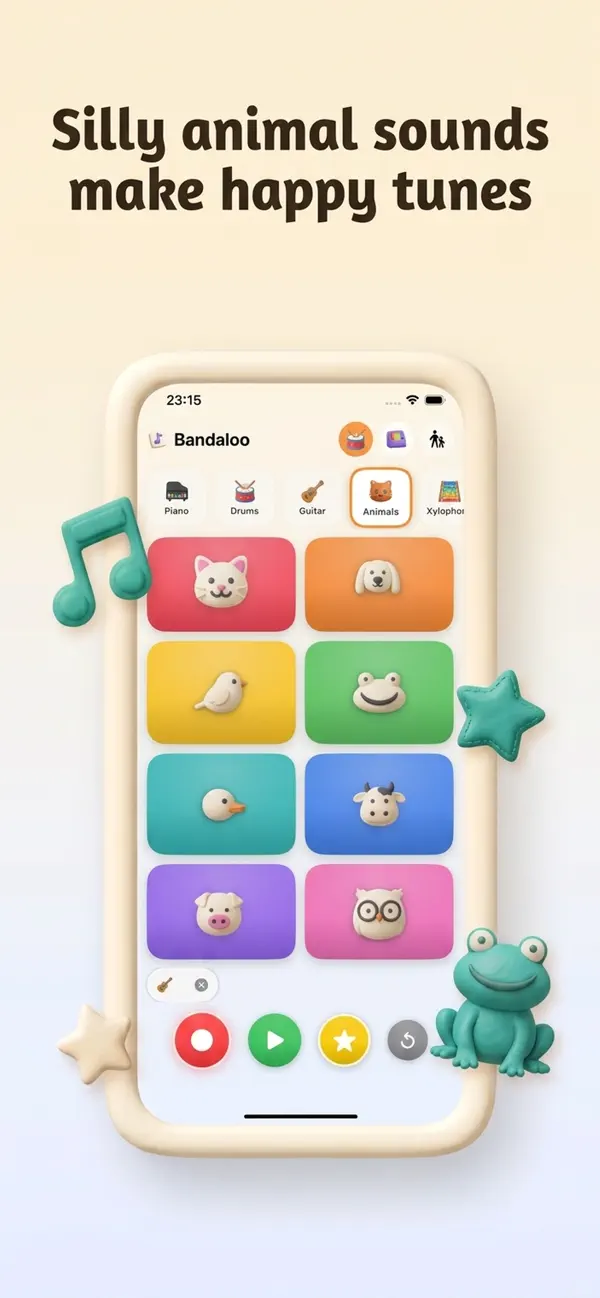
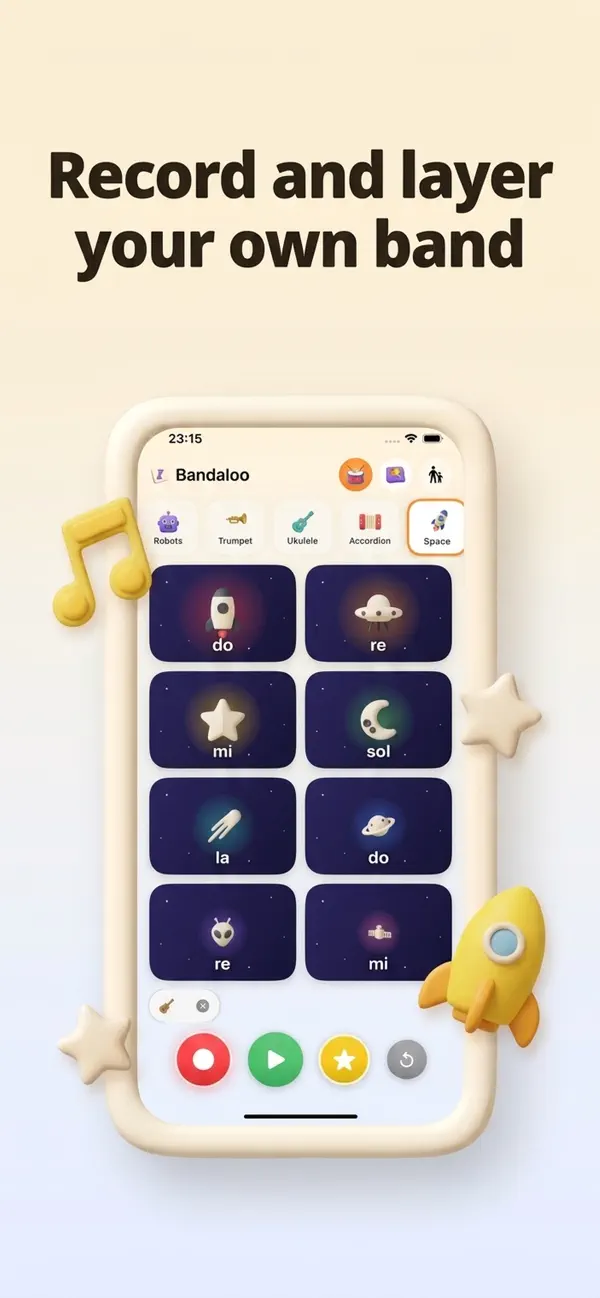
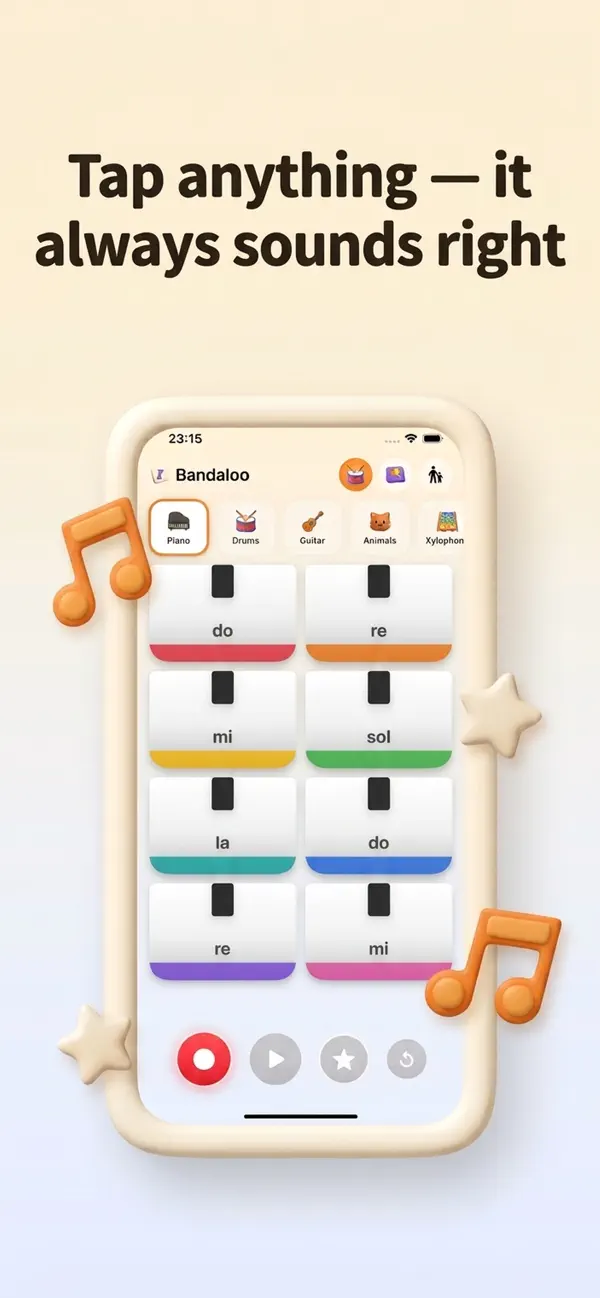
Bandaloo is a music-making app for children aged five to eight. No ads. No accounts. No microphone. Nothing leaves the iPad — and every pad is tuned so nothing can sound wrong.
You can't play it wrong.
That is not encouragement, it is arithmetic. The melodic pads are tuned to the major pentatonic, where no combination of notes clashes, and every recorded tap is nudged onto the eighth-note grid of the current tempo — so pitch and timing are both guaranteed before a child touches anything.
-
104 sounds, zero audio files
Thirteen instruments × eight pads, every sound generated by code: plucked strings, inharmonic bells, a brass envelope that brightens with the attack, filtered-noise percussion.
-
Pads shaped like the instrument
White piano keys with a black key above, xylophone bars that shorten as the note rises, guitar strings that thin out, planets that shrink. A child can tell them apart before playing a note.
-
Record, switch, overdub
Instruments can be swapped in the middle of a take, and each new take records on top of the layers already playing. Tap a track chip to mute a layer and hear what it adds.
-
Chords and glissando
Several fingers at once, two hands, or one finger sliding across the pads. Real multitouch, not one-tap-at-a-time.
-
A beat to play along to
A quiet drum loop under everything, so a tap lands in a song instead of in silence. It never starts on its own — somebody has to press play first.
-
Nothing gets lost
Work in progress is saved on every change and restored on launch. Re-saving updates the same song rather than making duplicates, and deleted songs sit in a bin for 30 days.
Thirteen instruments.
Four are free forever, along with the whole loop that matters — recording, layering, saving and sending a song.
- Piano — free
- Drums
- Guitar
- Animals
- Xylophone
- Flute
- Bells
- Shakers
- Robots
- Trumpet
- Ukulele
- Accordion
- Space
No tutorial. No words. An ending.
- It starts silent
- The first launch opens on one welcome screen: a small live pad grid, a green play button that performs a fifteen-note tune with the pads lighting up, and an equally large way in beside it. The app makes no sound until somebody presses one of them.
- Buttons breathe
- Past that screen there is no instruction anywhere. Buttons breathe one at a time to suggest the next step — and stop for good once the step has been learned.
- Then it retires
- The three things the first run teaches — record, listen back, keep it — each leave a quiet ring on the button that did it. Finishing all three turns the two-note save chime into a rising four, and the marks retire. A grown-up can hand the whole thing back to a second child.
Everything a grown-up needs is behind a gate.
Typed on a numeric keypad, not picked from buttons — multiple-choice gates get brute-forced by toddlers.
What a child can reach
- Every free instrument and the whole pad grid
- Recording, layering, listening and saving
- The songs shelf and the beat button
- A locked instrument shows a padlock — never a price
What sits behind the gate
- Sending a song out through the share sheet
- The purchase and Restore
- Volume ceiling and beat speed
- The 30-day bin and the privacy policy
No ads. No accounts. No microphone.
Bandaloo contains no networking code at all. What it calls recording captures the timing of taps on the screen — which pad, and when — never sound from the room.
- App Privacy label: Data Not Collected
- No analytics and no advertising identifier
- No third-party SDKs anywhere in the project
- No microphone, camera, photos, contacts or location
- Songs stay in the app's own folder
- Purchases handled entirely by Apple
How it is built.
Every sound is a PCM buffer generated at runtime, played through a sixteen-node AVAudioEngine pool with a peak limiter — and a take is a list of timed note events, a MIDI-like model, never captured audio.
Questions parents actually ask.
Does it use the microphone?
Never. There is no microphone permission in the app and the audio session is playback-only. "Recording" captures only the timing of taps on the screen, so no sound from the room is ever captured.
Can a child play a wrong note?
No. The melodic pads are tuned to the major pentatonic, so no combination clashes, and recorded taps are nudged onto the eighth-note grid — layers stay in time instead of drifting apart as more are added.
Are there ads? Does it collect data?
No ads, no analytics, no advertising identifier, no accounts and no servers — the app is built only with Apple's own frameworks. Its App Privacy label is "Data Not Collected".
How do we send a song to someone?
Save it, then open the grown-ups area, answer the arithmetic question, and use "Send a song". It is mixed down to an ordinary .m4a and handed to the iOS share sheet — Messages, Mail, AirDrop, Files. Nothing is uploaded.
What does the purchase unlock?
One payment adds the remaining instruments plus the My Sounds workshop, where a child moulds their own kit of eight sounds. It is a non-consumable with Family Sharing, not a subscription. Piano, drums, guitar and animals stay free forever — and so does recording, layering, saving and exporting.
Is it safe for a young child alone?
It is designed for ages 5–8 and listed in the Kids Category. No timers, no scores, no way to lose, and nothing external to tap into — purchases, settings, sharing and the bin all sit behind a typed parental gate. A child cannot reach a price at all.
My child deleted a song. Is it gone?
No. Deleted songs move to a bin in the grown-ups area for 30 days. The song in progress is also written to disk on every change and restored when the app reopens. See the support page for more.
Another app for young children.
From the same developer: Jay Mosaic, a colour-by-tile studio for children aged 4–6. Only the tiles that belong take the paint, so a mistake is impossible. No ads, no accounts, works offline.