
iPhone · iPad · Ages 4–6
Jay Mosaic
A quiet mosaic studio where a four-year-old cannot make a mistake.
Pick a picture, tap a colour, sweep a finger across the board — only the tiles that belong take the paint. When the last one lands the mosaic ripples outward and the picture comes alive: the fish swims, the rocket lifts off, the star twinkles.
 Free · iPhone & iPad · Made for Kids
- Education · Family
- Rated 4+
- 216 mosaics
- No reading needed
- Works offline
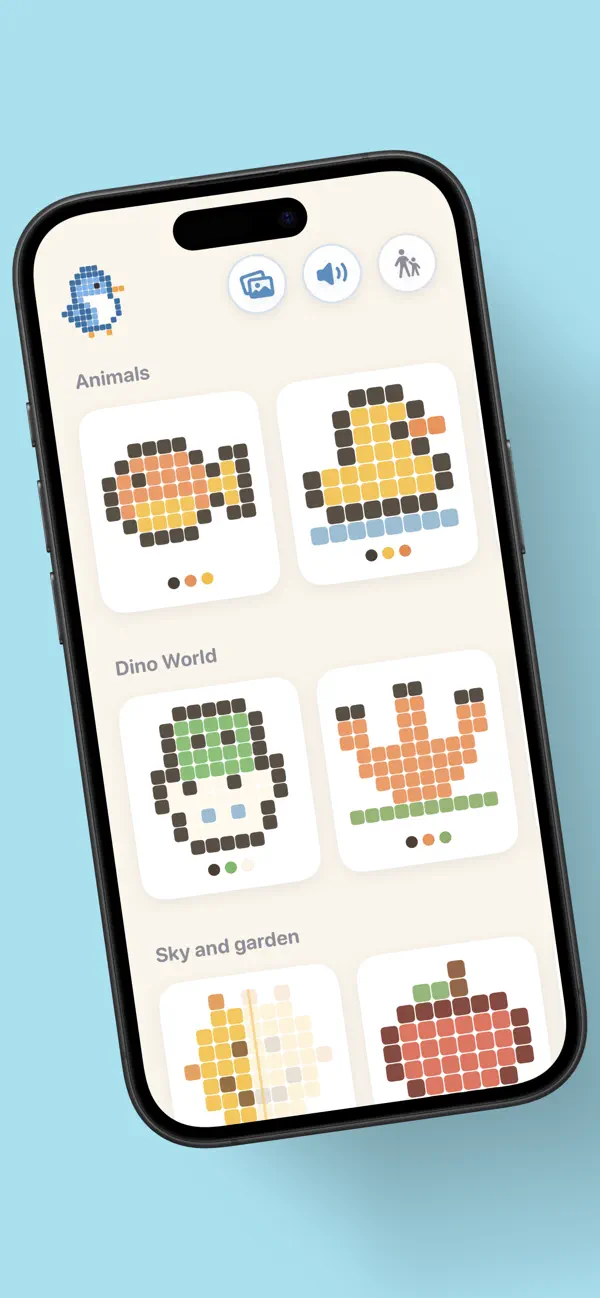
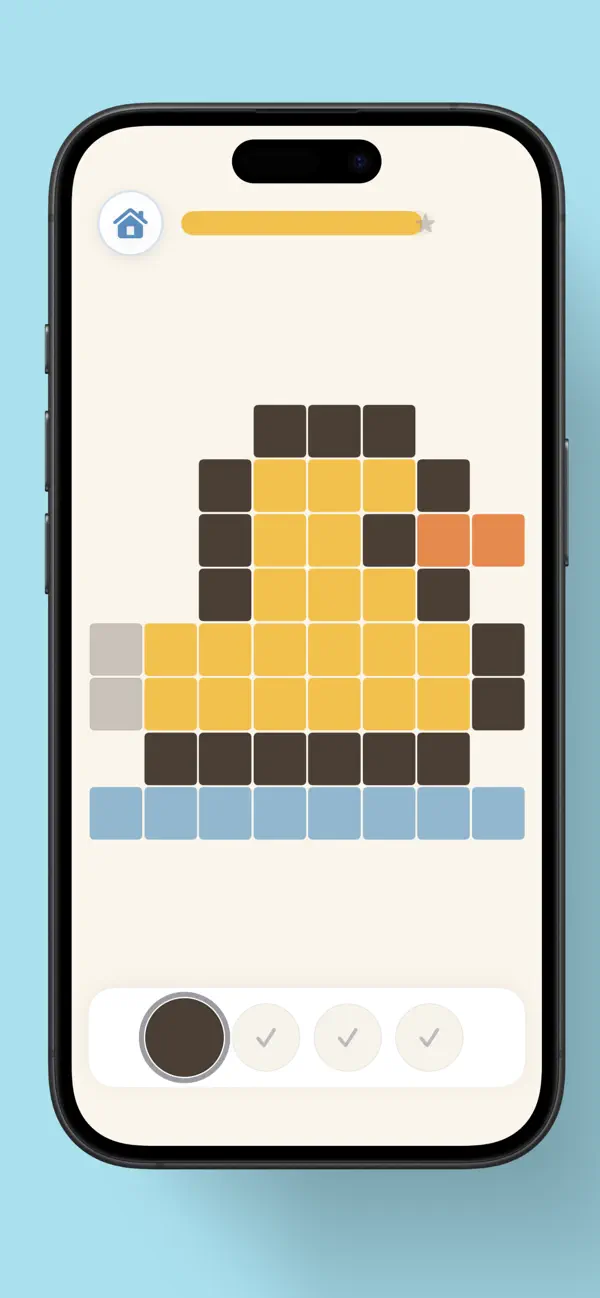
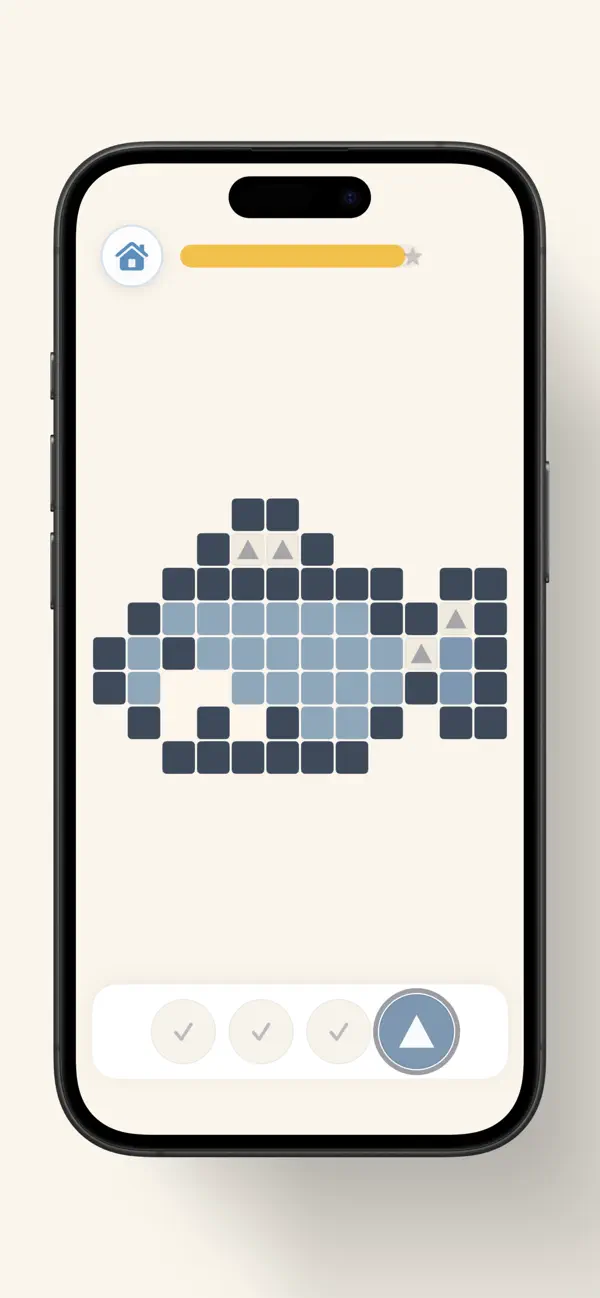
Jay Mosaic is a colour-by-tile app for children aged four to six who cannot read yet. There is nothing to read, nothing timed, no score, and no way to get a picture wrong — a tile that does not belong simply refuses the colour and costs nothing.
Forgiving by construction, not by kindness.
The board is one continuous gesture surface. A dragged finger paints only the cells that truly match the colour being held — which is why there is no undo button anywhere in the app. There is nothing to undo.
-
Sweep, don't tap-tap-tap
One drag fills every tile of that colour it passes over. Small hands get a long, satisfying stroke instead of a hundred precise taps.
-
A wrong tap just wiggles
Five frames of wobble — a ring if Reduce Motion is on — and nothing else. No sound of failure, no lost life, no red.
-
The last tile sets off a ripple
A wave crosses the board from the tile the child just placed, then the picture performs: it swims, lifts off, bounces, twinkles or waves.
-
Notes that climb as it fills
Every tile plays a note from a C-major pentatonic scale, rising as the picture completes. Synthesised live — there is not one audio file in the app — and it mixes with whatever a parent is playing.
-
Mirror levels
Thirty-seven pictures arrive half-built with a gold fold down the middle. The child completes the reflection, and each tile makes its twin glow.
-
Free painting
The outline of any finished picture, eight crayons, an eraser and no right answer. The child's own version hangs in the museum beside the one they built.
Three rungs. The app grows with the child.
Every one of the nine packs ships all three, so changing the rung can never hand a child an empty screen.
-
Match the colour
Around age 4
Empty cells are tinted with the colour that belongs in them. The child matches a chip to a shade — no symbols, no counting.
-
Match the shape
Around ages 4–5
Colour drains out of the clues and a small glyph takes its place. Now the child is reading a symbol, not a hue.
-
Match the number
Around ages 5–6
Numerals 1 to 8 label the cells, the way a real colour-by-number works — arriving only once the child is ready for it.
Nine packs. 216 mosaics.
Grids up to twelve wide and fourteen tall, with palettes of two to eight colours — sized so a finished picture reads from across the room.
- Animals 30 · free forever
- Dino World
- Under the Sea
- Things That Go
- Sky and Garden
- Sweet Treats
- Out in Space
- Once Upon a Time
- Toy Box
Then build it again with the clues switched off.
- The master pass
- Any finished mosaic can be built a second time with nothing in the empty cells — no colours, no shapes, no numbers. The completed picture stays pinned at the top as a chart to copy from, the way a cross-stitch pattern sits beside the cloth. Mastered pictures wear a gold ring in the gallery.
- The museum
- Finished mosaics and hand-painted works hang together in date order. Tapping one replays its animation. It is a wall to look at, not a scoreboard — there is no percentage, no rank and nothing to complete.
Everything a grown-up needs is behind a gate.
A fresh two-digit sum on every attempt — so a memorised answer never works, and a toddler cannot brute-force it the way they can a row of buttons.
- The child never sees a price — unpurchased packs are simply absent from the shelf, not padlocked
- Buying, restoring, settings, progress and sharing all live behind the gate
- A parent sets the session limit; after it, Jay waves goodbye and the screen bows out by itself
- The home button stays live the whole time — the app guides the end of screen time, it never locks the door
- Sound is one button on the child's home screen, and the app mixes with whatever else is playing
Nothing is collected. There is nowhere for it to go.
Jay Mosaic contains no networking code at all — not an analytics call, not a third-party SDK, not a single request. All 216 pictures ship inside the app, and a child's progress is a local file on their own device.
- No accounts and no sign-in
- No analytics and no advertising identifiers
- No ads, ever — and none planned
- No camera, microphone or photo access
- No chat and no way to reach other people
- Purchases handled entirely by Apple
How it is built.
The mosaic engine is pure Swift with no UI dependency, and every picture is data: nine JSON packs loaded from the bundle, so a new level — or a whole new theme — is one file and zero Swift.
Questions parents actually ask.
Is it safe for a 4-year-old to use alone?
That is the design target. There is no text to read, no timer, no score and no way to get anything wrong.
The child never sees a price, a padlock or a store — unpurchased packs are absent from the shelf rather than locked — and settings, purchases and sharing all sit behind a parental gate that generates a fresh two-digit sum every time.
Does my child need to read or count?
Neither. Everything on the child's path is shown rather than written, and the difficulty ladder starts at matching colours — numerals only arrive at the top rung, which a parent chooses.
Are there ads?
None, and none planned. No subscriptions and no in-game currency either — just one optional one-time purchase, behind the parental gate.
How much is free?
The whole Animals pack — 30 mosaics — free forever, with all three difficulty rungs, the mirror levels, the master pass and free painting included. It is a complete pack, not a teaser that runs out mid-session.
What does the purchase unlock?
One non-consumable, "Unlock Everything", opens the other eight packs — 186 more mosaics — plus every future pack at no extra cost. It supports Family Sharing and is not a subscription.
Does it work offline?
Completely. There is no networking code in the app at all. Every picture ships inside it and progress stays in a local file.
How does it handle ending screen time?
After a set number of pictures — three by default, adjustable or unlimited — Jay waves goodbye on a warm screen that dismisses itself after a few seconds. It guides the stop; it does not lock the child out.
What data does it collect?
Nothing. No accounts, no analytics, no advertising identifiers, no server. See the privacy policy for the full text.
Another app for young children.
From the same developer: Bandaloo, a first recording studio for children aged 5–8. Thirteen instruments, pads tuned so nothing can sound wrong, and no microphone. No ads, no accounts, works offline.